Minecraft Banner Maker
Design custom Minecraft banners layer by layer with a live preview, then copy the /give command or survival loom recipe.
Saved Banners are stored in this browser only. They are not sent anywhere and won't appear on another device.
Trending Minecraft banners
Most votes in the last seven days



Top Minecraft banners
The most liked banners of all time
Top shields
The most liked shields of all time
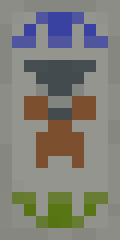


How the Minecraft Banner Maker Works
The MCBanners Banner Maker is a free, interactive web editor designed to help you create custom Minecraft banners and shields with live sprite previews. Start by choosing one of the 16 base wool colors, then stack any vanilla pattern layers, from stripes, crosses, and bordures to complex charges like the Creeper, Skull, and Flower Charge.
As you build, the tool keeps the exact layer order, shows the survival crafting steps, exports a PNG, and outputs instant /give commands for Java Edition (1.8 through 1.21+). Bedrock's /give has no pattern data, so Bedrock players build the same design at the loom. New to banners? Read how to make a banner in Minecraft.
Survival Loom Crafting vs. Creative Give Commands
Minecraft handles banners differently depending on your game mode:
- Survival Loom (6-Layer Limit): In survival mode, a Loom allows up to 6 pattern layers. Add your crafted banner and a dye, plus a banner pattern item when the pattern needs one.
- Give Commands (Up to 16 Layers): If you are a server administrator or playing with cheats enabled, commands can stack up to 16 pattern layers for intricate, high-detail designs.
Minecraft Banner Command Syntax Across Versions
Command formats differ across Minecraft updates. MCBanners automatically writes the exact syntax for your target version:
- Java 1.20.5 and newer: Uses modern item components (
minecraft:banner_patterns=[{pattern:"...",color:"..."}]). - Java 1.13 – 1.20.4: Uses NBT tags with
BlockEntityTag.Patterns. - Java 1.8 – 1.12: Uses legacy numeric color IDs and short pattern codes (e.g.
crefor Creeper,skufor Skull).
Explore Popular Categories
Looking for inspiration? Browse player-created designs in the Minecraft Banner Gallery or jump directly to popular tag collections:
- How to Make a Banner: The recipe, the loom, every pattern item, and commands for each version.
- Minecraft Shield Designs: Ready-made shield banners to copy or customize.
- Minecraft Letter Banners: Type a word to spell it in banners, with step-by-step recipes from A to Z.
- Country Flag Banners: Accurate flag recipes for nations and pride flags.
- Minecraft Shield Maker: Preview any banner design directly on a combat shield.
- Community Tags Directory: Discover custom banners by themes like anime, mobs, and PvP clans.
Frequently Asked Questions
Can you change a banner's base color after crafting?
No. A banner's base color is fixed by the 6 wool blocks used to craft it. To change the base color, craft a new blank banner and apply the patterns again.
How do you put a custom banner on a shield?
Place an undecorated shield and your finished banner together anywhere in a 2x2 or 3x3 crafting grid. The shield takes the banner's pattern and the banner is consumed.
What is the maximum number of layers on a Minecraft banner?
A survival loom allows a maximum of 6 layers. With give commands or command blocks, a banner can hold up to 16 pattern layers.